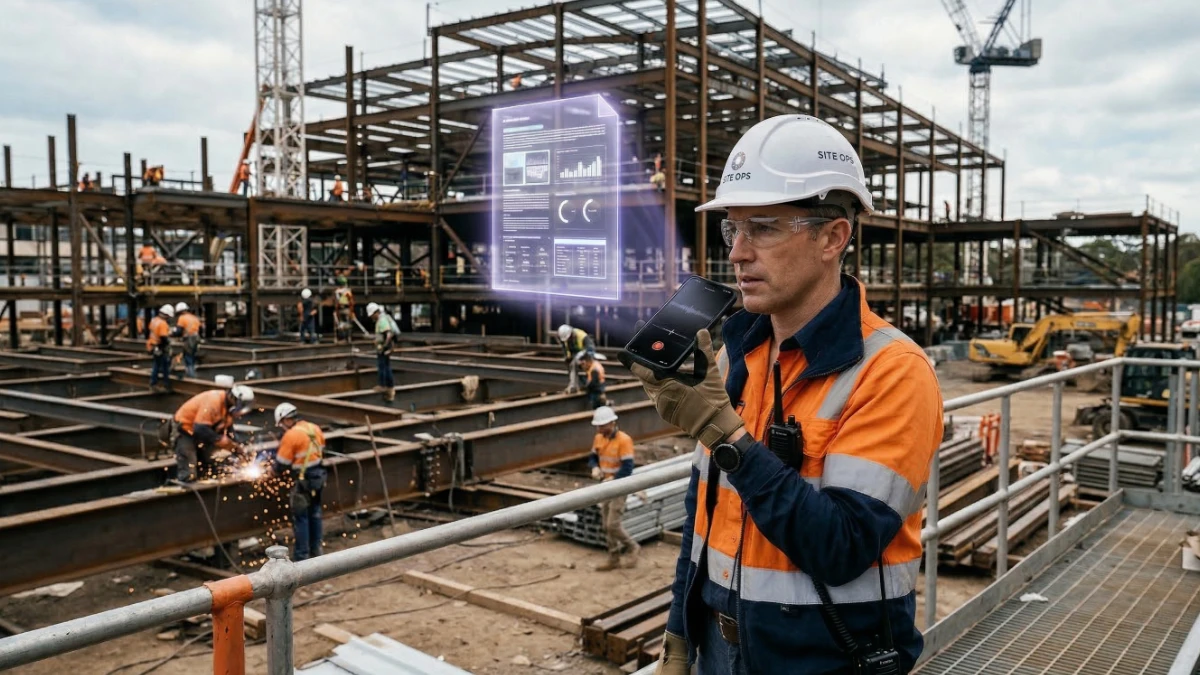
The average contractor spends 35-40% of their working hours on administrative tasks. Not building. Not managing crews. Not winning new business. Filling out forms, writing reports, generating invoices, processing change orders, responding to RFIs.
That number hasn't changed much in 20 years — until now. In 2026, AI tools are starting to eliminate the most repetitive construction paperwork tasks. Not all of it, and not perfectly, but enough that contractors who adopt early are getting back hours every week.
This article covers what AI is actually doing to construction paperwork right now — with real examples. Not hype, not demos — the specific tasks where AI saves time today, and where it still falls short.
The Construction Paperwork Problem
Construction has always been paperwork-heavy. But the volume has grown dramatically:
For a GC managing 10 active projects, that daily report time alone adds up to over 2 hours a day — just on one type of document. Add change orders, RFIs, submittals, lien waivers, invoices, and meeting minutes, and paperwork becomes a second full-time job.
The bigger problem: most of this paperwork is being created hours or days after the event it documents. By then, details are forgotten, disputes start, and the document loses its legal value.
6 Types of Construction Paperwork AI Is Changing Right Now
AI converts voice recordings or short bullet points into complete daily site reports — weather, crew count, work completed, delays, safety observations. What took 15 minutes now takes under 2.
Works well todayDescribe the extra work verbally and AI structures it into a professional PDF with line items, pricing, scope limitations, and signature blocks — before you leave the job site.
Works well todayAI generates detailed progress invoices and final invoices from project data. Line items, percentages complete, retainage deductions, payment terms — structured automatically.
Works well todayChatGPT and similar tools help draft RFI language clearly and professionally. You describe the issue, AI formats it correctly with reference to drawings, spec sections, and contract clauses.
Works with reviewAI can flag unusual clauses, missing terms, and risky provisions in subcontracts. It's not a lawyer, but it catches obvious issues fast. Still requires human legal review before signing.
Works with reviewAI can help structure permit narratives and fill in standard forms. But permit requirements vary by jurisdiction, and AI doesn't know your local building department's quirks.
Limited use todayDaily Reports: The Biggest Time Saver
Daily construction reports are the most universally hated paperwork task on a job site. Every project manager knows they should write them. Most don't — or they write them 3 days late from memory, which makes them nearly useless for dispute resolution.
AI changes this because it works the way a site manager actually operates: in voice.
Instead of sitting down to type a report at the end of a 10-hour day, you walk the site at 4pm and record a 2-minute voice note describing what happened. AI converts it into a structured daily report with all required fields filled in.
"Daily site report, March 18th. Site: Riverside Commercial Phase 2. Weather was partly cloudy, 48 degrees, no rain. We had 14 workers on site today — 6 framing, 4 MEP rough-in, 4 concrete flatwork finishing. Framing crew completed north wall section C through F. MEP ran conduit through levels 2 and 3. Flatwork crew poured and finished the loading dock slab, about 1,400 square feet. One delay: flatwork started 90 minutes late because the ready-mix truck had a breakdown. No safety incidents. Inspector came by at 2pm for framing inspection — passed. Tomorrow: framing continues east wing, roofing crew starting Thursday."
That 45-second voice note produces a complete daily report with date, location, conditions, crew breakdown, work completed by trade, delays with cause, safety status, inspections, and look-ahead. Formatted, professional, ready to attach to the project file or email to the owner.
Daily reports written the same day as the work are legally far more defensible than reports written after the fact. A well-documented daily report has resolved more payment disputes and schedule claims than any other construction document.
Change Orders: Documented in Under 60 Seconds
The change order problem isn't that contractors don't know they need them. It's that by the time they get around to writing one, the details are fuzzy and the moment to get a signature has passed.
AI solves this by making the documentation take less time than the conversation itself. You describe the extra work the moment it's agreed upon — while you're still standing next to the client or GC — and get a complete, professional change order PDF in under a minute.
The key is being specific with your voice description. The more detail you give, the more complete the output:
"Change order for Martinez Renovations, Bay Area Office Project. Additional electrical work: installing 4 dedicated 20-amp circuits in the server room that weren't in the original scope. Labor: 6 hours at $95 an hour. Materials: breakers, wire, conduit, boxes — about $280. Client requested this because they added two additional server racks. Tax 8.5%. Net 30 payment terms."
Tools like PlanUpPro are built specifically for this workflow — voice-recorded field descriptions converted directly into formatted PDFs with line items, scope notes, tax calculations, and signature blocks. No template to fill out, no laptop required, no "I'll write it up tonight" that never happens.
RFI Drafting with ChatGPT: A Practical Guide
Requests for Information are a core part of construction communication, but writing them clearly is harder than it sounds. A poorly written RFI gets ignored or answered with a vague response that creates more confusion. A well-written RFI gets a fast, precise answer that keeps the project moving.
ChatGPT is genuinely good at turning a contractor's rough description of a problem into clear, professional RFI language. Here's how to use it:
Prompt structure that works
Give ChatGPT: the project name, the drawing or spec reference, what's unclear or conflicting, and what you need answered. Example: "Write an RFI for the following situation: Drawing A-201 shows a 6-inch concrete curb at the parking garage entrance, but Spec Section 03 30 00 calls for a 4-inch curb in all exterior applications. We need clarification on which dimension governs before we pour next Thursday."
Always review before sending
AI doesn't know your specific project, your contract language, or your relationship with the architect or GC. Review every AI-drafted RFI before sending. The AI helps you structure and phrase — the substance and accuracy is your responsibility.
Use it for the response too
When an RFI response comes back incomplete or ambiguous, paste it into ChatGPT and ask: "This RFI response doesn't actually answer the question. Help me write a follow-up that clearly states what we still need." This saves the back-and-forth that eats weeks on projects.
Contract Review: What AI Can and Can't Do
AI contract review is the area where enthusiasm outpaces reality the most. Yes, AI can read a subcontract and flag unusual clauses. But it's important to understand the limits:
| AI CAN do this | AI CANNOT do this |
|---|---|
| Flag "pay-when-paid" vs "pay-when-certified" clauses | Advise whether a clause is enforceable in your state |
| Identify missing standard provisions (no dispute resolution clause, no lien waiver process) | Assess how a specific judge or arbitrator would interpret ambiguous language |
| Summarize long contracts into plain English | Account for project-specific context that changes risk |
| Compare contract terms against AIA or ConsensusDocs standards | Provide legal advice or represent you in a dispute |
| Draft standard contract language for common provisions | Guarantee that flagged issues are actually problematic |
Use AI for contract review as a first pass — a way to quickly identify areas worth scrutinizing. On contracts over $50,000, still have an attorney review anything the AI flags as unusual.
Practical prompt: "Review this construction subcontract and list: (1) any clauses that heavily favor the GC over the subcontractor, (2) any missing standard provisions, (3) payment terms and any conditions that could delay payment." Then paste the contract text.
AI Prompts for Construction Paperwork: A Quick Reference
These prompts work in ChatGPT, Claude, or any other AI tool. Copy, adapt to your project, and use:
| Document Type | Prompt to Use |
|---|---|
| Client email — delay notice | "Write a professional email to a client notifying them of a [X]-day delay caused by [reason]. Include the impact on the schedule, what we're doing to minimize it, and the new expected completion date." |
| Subcontractor scope dispute | "Write a letter to a subcontractor stating that [described work] is within their contracted scope per Section [X] of the subcontract, and requesting they complete it without additional cost by [date]." |
| Meeting minutes | "Convert these rough notes from a site meeting into professional meeting minutes with action items, responsible parties, and deadlines: [paste notes]." |
| Bid cover letter | "Write a bid cover letter for a [project type] project. We are bidding $[amount]. Our key differentiators are [list them]. The owner's main concern is [schedule/quality/price]." |
| Safety incident report | "Write a professional incident report for the following situation: [describe what happened, who was involved, what the outcome was, and what corrective action was taken]." |
| Retainage release request | "Write a formal retainage release request letter. Project: [name]. Contract value: $[X]. Retainage held: $[Y]. Substantial completion date: [date]. All punch list items completed on [date]. Reference [state] prompt payment statute." |
Where AI Still Falls Short in Construction
Being honest about limitations matters more than the hype. Here's where AI genuinely struggles with construction paperwork today:
Jurisdiction-specific requirements
Permit applications, lien notices, and some contract provisions vary significantly by state, county, and even municipality. AI doesn't know that your county requires lien notices to be sent certified mail within 20 days, or that your state has specific retainage escrow requirements. Always verify local requirements independently.
Drawing and specification interpretation
AI can read text, but it can't look at a drawing set and understand what's missing or conflicting. RFI identification still requires a human with construction knowledge to find the discrepancy — AI only helps you write it up cleanly.
Project-specific context
AI has no memory of your project history. Every prompt starts fresh. If your dispute involves a series of emails, site conditions, and verbal agreements over 6 months, you need to provide all that context — AI can't access it.
Numbers and calculations
AI can structure an invoice but shouldn't be trusted to run complex calculations without verification. Always check the math on any AI-generated financial document before sending it to a client or GC.
The On-Site Paperwork Gap: The Problem AI Solves Best
The most impactful AI use case for contractors isn't in the office — it's on the job site. The gap between when something happens and when it gets documented is where most disputes, missed payments, and forgotten change orders originate.
The reason this gap exists isn't that contractors don't know they should document things. It's that the tools available until recently required sitting at a desk, opening a laptop, finding a template, and typing — which nobody does at 5pm after a physical 10-hour day on a site.
Voice-driven AI changes that dynamic completely. PlanUpPro is built around this specific workflow:
The document exists before you leave the site. Not tonight, not tomorrow — immediately. That's the window where documentation actually protects you.
How to Start Using AI for Construction Paperwork Today
You don't need to overhaul your workflow to start saving time with AI. Start with the highest-pain document in your operation:
Week 1: Daily reports
Record a voice note at end of day instead of typing a report. Use ChatGPT or a tool like PlanUpPro to convert it. Even if it takes 5 extra minutes to review and correct, you'll be ahead — and you'll actually have reports being filed instead of skipped.
Week 2: Change orders
Next time a client asks for extra work, describe it verbally before starting. If you're using PlanUpPro, you'll have a PDF in 60 seconds. If you're using ChatGPT, paste the voice-to-text output and ask it to format a change order with line items. Either way, you'll get a document while you're still on site.
Week 3: Client communications
Before writing any tricky client email — a delay notice, a dispute response, a scope clarification — draft it in ChatGPT first. You'll write better emails faster, and you'll be less likely to say something that comes back to bite you in a dispute.
Ongoing: Build your prompts library
Every time you write a prompt that gets a great result, save it. After 2 months you'll have a personal library of 15-20 prompts that cover 80% of your paperwork situations. Construction AI is most powerful when it's adapted to your specific trade, project types, and contract language.
Frequently Asked Questions
Are AI-generated construction documents legally binding?
The AI-generated document itself has the same legal standing as any other written document — what matters is the signatures and whether it accurately reflects the agreement. A change order generated by AI and signed by both parties is as legally binding as one typed manually. The document is a tool; the legal weight comes from the agreement it represents and the signatures on it.
Which AI tools are best for construction paperwork?
For general text tasks (emails, RFIs, meeting minutes, contract review): ChatGPT-4 or Claude. For construction-specific voice-to-document workflows (change orders, daily reports, invoices): PlanUpPro. For estimating assistance: a combination of AI text tools and your existing estimating software. There's no single tool that does everything well yet.
How accurate are AI-generated construction documents?
Accuracy depends entirely on the quality of input. If you give AI vague information, you get vague documents. If you're specific — names, numbers, dates, scope details — the output is typically 85-95% ready to use with minor review. Always read every AI-generated document before sending it. Treat it like a first draft from a capable but junior employee who needs your sign-off.
Will AI replace construction project managers?
No — at least not in the foreseeable future. AI handles the documentation layer well but has no ability to make judgement calls, manage relationships, read a room on a job site, or understand the hundreds of project-specific variables that a good PM holds in their head. What AI does is remove the administrative burden so PMs can spend more time on the things only humans can do.
Is client data safe when using AI tools for paperwork?
Be careful about what you paste into public AI tools. Client names, project addresses, financial details, and contract terms are sensitive information. Most major AI providers (OpenAI, Anthropic) don't train on business API inputs, but consumer chat products may differ. For sensitive documents, use AI tools with explicit data privacy policies, or redact identifying information before pasting into a general chat tool.