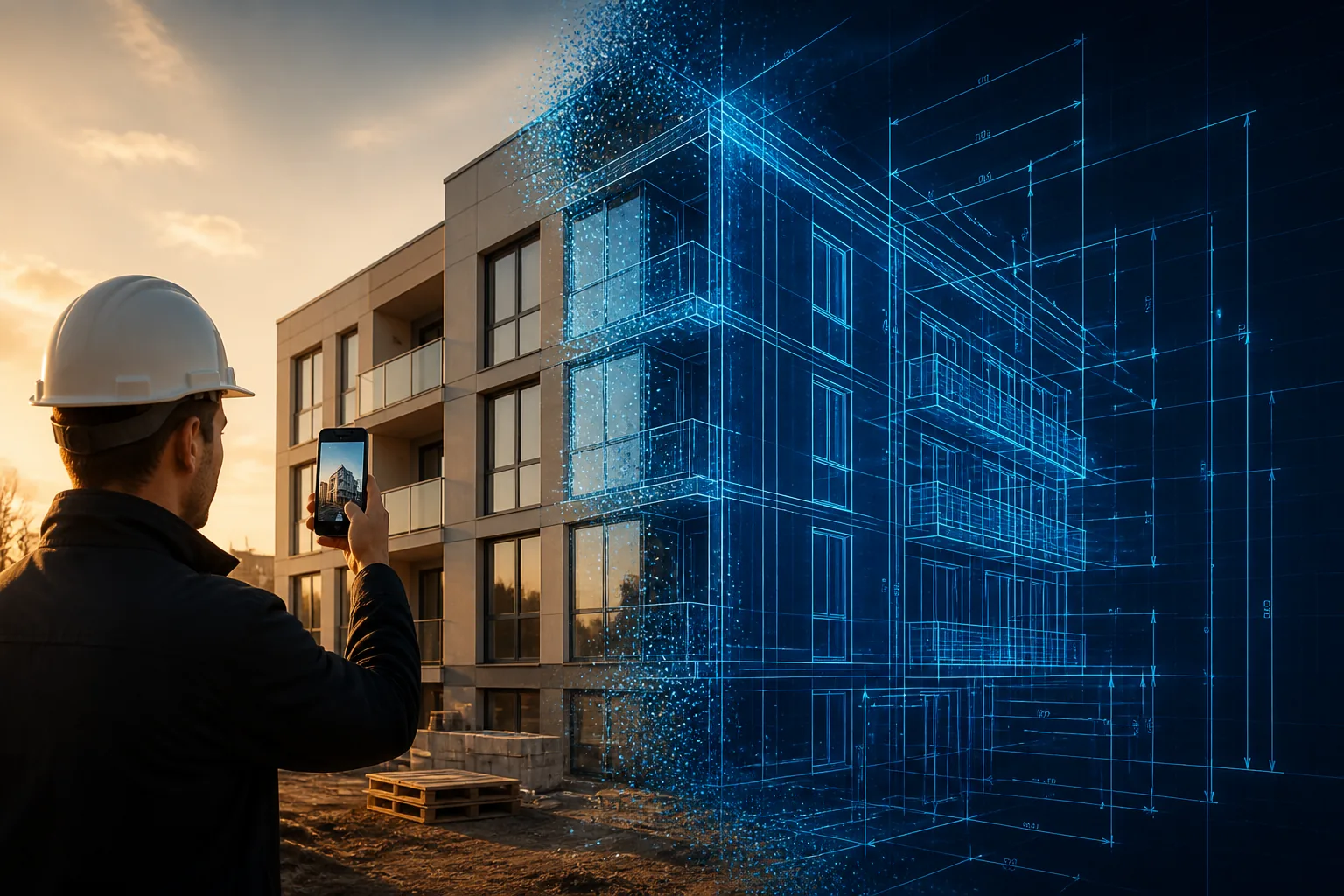
Every few months a new "AI for architecture" tool shows up promising to change everything. Most of them do the same thing: you upload a photo, and you get back a pretty picture. Nice for Instagram, useless for actual work — no dimensions, no export, nothing you can build from.
So when we started testing ArchiDot, our expectations were low. Several months later, it has quietly become one of the most-used tools in our workflow — and the reason is one specific feature that we haven't seen any other AI platform do this well: turning ordinary photos into scaled, CAD-ready technical drawings.
This is our honest review — what ArchiDot does brilliantly, where it falls short, and whether it's worth the money for architects, designers, and contractors.
⚡ Quick Verdict
What Is ArchiDot?
ArchiDot is an AI design suite built for architects and interior designers — but as you'll see in this review, it's just as useful for contractors and builders. Instead of being a one-trick photo filter, it's a full design workspace: photoreal renders, furnished floor-plan views, moodboards, 3D models from photos, and — the star of the show — scaled DXF drawings generated from ordinary photographs.
The platform is used by over 10,000 designers, architects, and homeowners, and unlike almost every competitor in this space, it runs on a one-time payment with lifetime access — no monthly subscription. More on pricing later, because it's one of the strongest arguments in ArchiDot's favor.
The Killer Feature: Photo to CAD Drawing
Here's the workflow that sold us. You're on a job site. You need a drawing of an existing kitchen, a facade, a staircase, a piece of built-in furniture — anything. The traditional way: measure everything by hand, take notes, go back to the office, and redraw it in AutoCAD from scratch. That's hours of work for a single elevation.
With ArchiDot: you take a photo with your phone, and the AI generates a scaled technical drawing with dimensions, elevations, and sections. Then you export it as a DXF file and open it directly in AutoCAD, SketchUp, or any CAD software you already use.
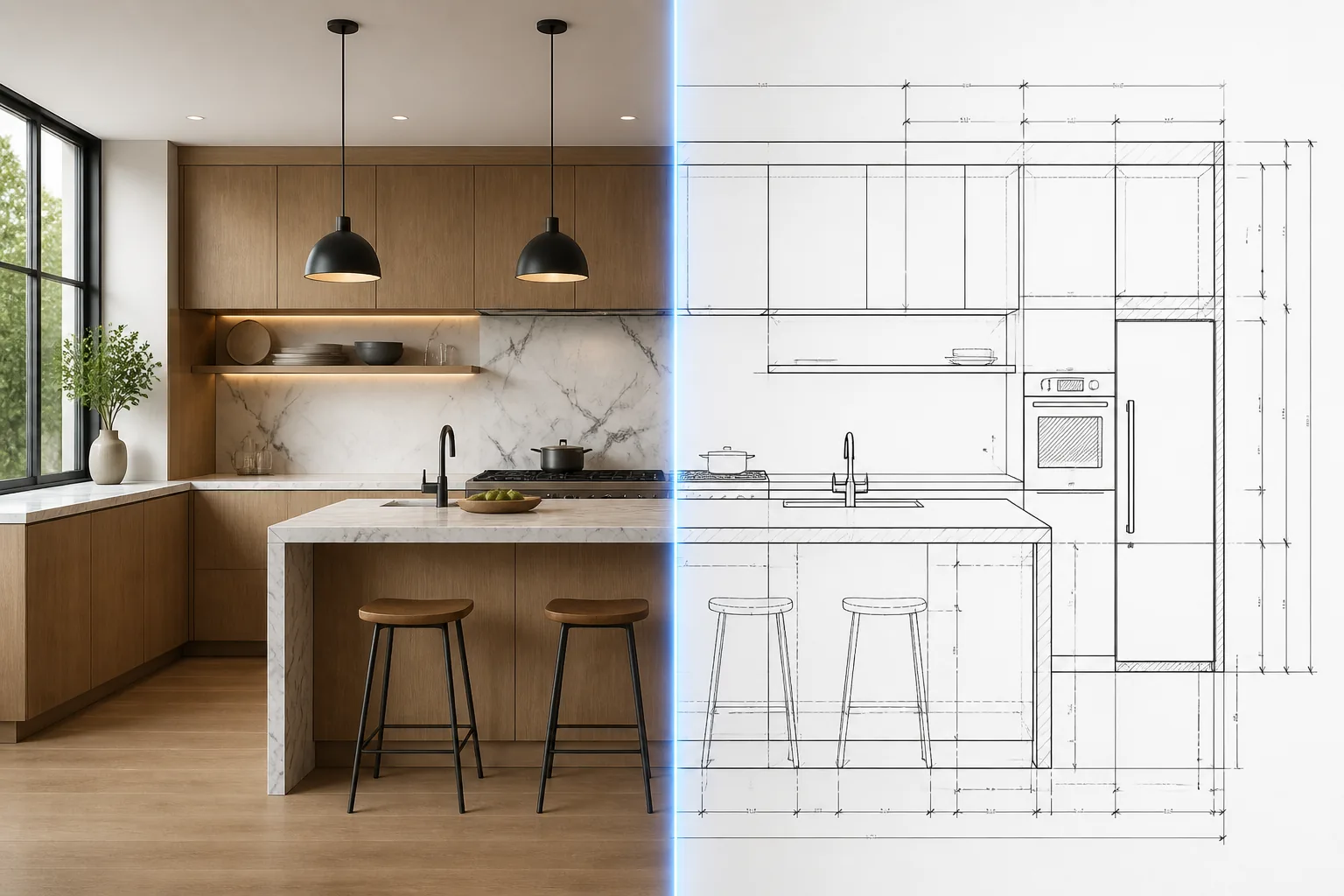
We've used this on real projects for months now, and it has genuinely changed how we handle site surveys. Instead of redrawing what already exists, we photograph the object and start working with a drawing minutes later. For renovation and remodel work — where you're constantly documenting existing conditions — this single feature pays for the entire platform.
Real-world example from our workflow: photograph an existing building facade during a site visit, and by the time you're back at the truck, you have a scaled elevation you can mark up, dimension-check, and drop into your drawing set. What used to be an afternoon of remeasuring is now a 30-second generation.
To be clear about accuracy: the AI-generated drawing is a scaled starting point, not a survey-grade document. You'll still verify critical dimensions before fabrication. But as a base drawing that eliminates 80-90% of the redrawing work, it's remarkably good — and far beyond what any other AI tool we've tested can produce.
Everything Else It Does
Photo-to-CAD is why we came, but the rest of the toolkit is why we stayed. ArchiDot packs everything into one workspace:
Convert any photo into a scaled technical drawing — export as DXF for AutoCAD or SketchUp. The headline feature, and it delivers.
Turn a product photo into an interactive 3D model you can spin, inspect from every angle, and drop into your own pipeline. One photo in, a rotatable model out.
Reimagine any room in dozens of styles — Scandinavian, Japandi, modern, classic. Critically: it keeps your real walls, windows, and camera angle.
Preview a fresh facade, new materials, and colors on a real building before anyone spends a cent. Excellent for client presentations.
Turn a flat 2D layout into a furnished, photoreal room. Clients who can't read plans suddenly understand exactly what they're getting.
Describe a style or drop a reference image, and ArchiDot curates a complete moodboard — palette, materials, textures, and pieces that belong together.
The image generation quality across all of these is seriously impressive — renders come back in about 30 seconds and look photographed, not generated. The 3D generation deserves a special mention: we don't personally need 3D models in our daily work, but for anyone whose workflow lives in 3D — product designers, visualizers, staging companies — being able to generate a spinnable, editable 3D asset from a single photo is a genuinely powerful capability.
What Makes It Different From Every Other AI Design Tool
We've tested a lot of AI design tools. Here's the honest comparison of where most of them fail and what ArchiDot does differently:
| Typical AI design tools | ArchiDot |
|---|---|
| Just a pretty picture — no CAD export, no dimensions, nothing you can build from | Scaled DXF/CAD export with dimensions and client-ready PDFs |
| Warps the room — moves walls, windows, and camera angle so you can't trust the result | Keeps your real geometry — same walls, same windows, same framing; only the design changes |
| Dreams up furniture that doesn't exist anywhere | Designs built from real, in-production furniture you can actually buy in regular stores |
| Pretty render, dead end — nothing you can hand to a client or a crew | Client-ready deliverables — scaled drawings, branded PDFs, and sourceable furniture lists |
| Subscription traps — monthly fees, hidden charges, painful to cancel | One payment, lifetime access, monthly credits refresh automatically |
The "keeps your real geometry" point matters more than it sounds. Most AI tools quietly redraw the room — walls shift, windows move, proportions drift. That makes the output worthless for professional work, because the client is looking at a room that isn't theirs. ArchiDot locks the structure and only changes the design, which is exactly what before/after presentations and real project work require.
Pricing: Refreshingly Not a Subscription
This is where ArchiDot separates itself from basically the entire industry. While competitors charge $30-90 per month forever, ArchiDot is a one-time payment with lifetime access. Your monthly credits refresh automatically every month, for as long as the platform exists — no recurring charges.
Do the math against any subscription competitor: a $49/month tool costs $588 every single year. ArchiDot's Pro plan is $99 once. Even if you only use it for site-survey drawings, it pays for itself on the first project. Every plan also includes a commercial use license, so everything you generate can go straight into client work.
One thing to understand before buying: ArchiDot runs on a credit system. Every generation costs credits, and your monthly credits refresh every single month — you always start fresh (and any top-up credits you buy never expire). For a typical professional workload the included credits are plenty — but if you're planning to generate hundreds of images daily, look at the bigger plans.
The AI Prompt Library: We Bought It Too
Full transparency: we liked the platform enough that we also bought ArchiDot's AI Prompt Library — a separate product from the same team, and it deserves a section in this review.
It's a library of 108 studio-grade prompts (159 with the expansion) for interior design and architecture work — but these are not the one-liner "prompt packs" floating around the internet. Each prompt is a full 40+ line structured brief with something they call a Geometry Lock: a purpose-built block of instructions that forces the AI to keep your real walls, windows, camera angle, and proportions. The result stays your room instead of an AI hallucination.
The prompts are written in plain structured English with editable [fields], so they work in any AI tool — ChatGPT, Gemini, Midjourney, or ArchiDot itself. We've been using the Rendering and Exterior collections regularly, and the first-try hit rate is dramatically better than anything we wrote ourselves. Fewer retries also means fewer wasted credits, which quietly pays back the purchase price.
The Core Collection is $99 (launch pricing, down from $249) with lifetime access — and at checkout you can add the Style & Materials Expansion for $29. If you're already using AI image tools for design work, it's an easy recommendation.
The Honest Pros and Cons
👍 What we love
- Photo → CAD/DXF export — the feature no other AI tool does this well; eliminates hours of redrawing
- Keeps real geometry — walls, windows, and camera angle stay put, so results are trustworthy
- One-time payment — lifetime access with refreshing monthly credits; no subscription fatigue
- Genuinely fast — ~30 second renders, consistent quality
- Real, purchasable furniture — designs clients can actually shop, not AI fantasy pieces
- Commercial license included on every plan
👎 What could be better
- CAD drawings need verification — treat exports as a strong starting point, not a survey-grade document
- Credit system takes a moment to understand — different generations cost different amounts, though your monthly credits refresh every month so you always start fresh
- Output quality depends on photo quality — a blurry, angled photo gives a weaker drawing
- 3D is powerful but niche — great if your workflow needs it, easy to ignore if it doesn't
Who Should (and Shouldn't) Get ArchiDot
Get it if you are:
- An architect or designer who documents existing conditions — the photo-to-elevation workflow alone saves a full afternoon of remeasuring per site visit
- A contractor or remodeler who needs quick drawings of existing kitchens, facades, and structures to plan and quote work
- A design studio that wants junior staff prototyping concepts fast before refining in CAD
- A real estate professional or stager who needs client-ready visuals with your own branding
Skip it if you:
- Need survey-grade, certified measurements straight out of the tool (verify critical dimensions yourself)
- Only want occasional fun renders of your living room — the free-tier AI toys will do
Frequently Asked Questions
Is ArchiDot really a one-time payment?
Yes. Every plan is a single payment with lifetime access. Monthly credits refresh automatically each month for as long as the platform exists — no subscription, no recurring charges. Top-up credit packs are available if you ever run out (from $15 for 50,000 credits, and those never expire).
Can I really open the drawings in AutoCAD?
Yes. The Image-to-DXF feature exports standard DXF files that open directly in AutoCAD, SketchUp, and any other CAD software that reads DXF — which is essentially all of them. The drawing arrives scaled with dimensions, elevations, and sections.
How accurate are the photo-to-CAD drawings?
Accurate enough to spec from as a working base — proportions and scale come out impressively close when your photo is straight-on and well-lit. For fabrication or anything tolerance-critical, verify key dimensions on site as you would with any survey. Think of it as eliminating the redrawing, not the final check.
Do I need design experience to use it?
No. Upload a photo, pick from 23+ style presets (or write a custom prompt), and the AI handles the rest. It was built to be usable by homeowners, but with enough control depth — custom prompts, geometry preservation, DXF export — that professionals aren't boxed in.
Is the AI Prompt Library worth it separately?
If you use AI image tools (ChatGPT, Midjourney, Gemini) for design work — yes. The prompts are full studio briefs with geometry locks, real design rules baked in, and editable fields. They're tool-agnostic and dramatically improve first-try results, which also means you burn fewer credits on retries. $99 for lifetime access to 108 prompts.
Our Verdict: The Real Deal
Is ArchiDot the best AI tool for architects in 2026? For our money — yes, and it isn't particularly close. It's one of the most powerful AI platforms for architects and designers we've seen, and crucially, it's not overpriced: a one-time $99 gets you a tool that competitors charge $500+ per year for, with the one feature that actually matters for professional work — real, scaled, CAD-ready output instead of just pretty pictures.
The photo-to-CAD workflow alone changed how we handle site documentation. Everything else — the renders, the moodboards, the 3D models — is a very strong supporting cast. The smart move is simple: test it on your next real project and let the results decide.